Pencora app icon Pencora app icon

Notes that keep up with your hand and think ahead.

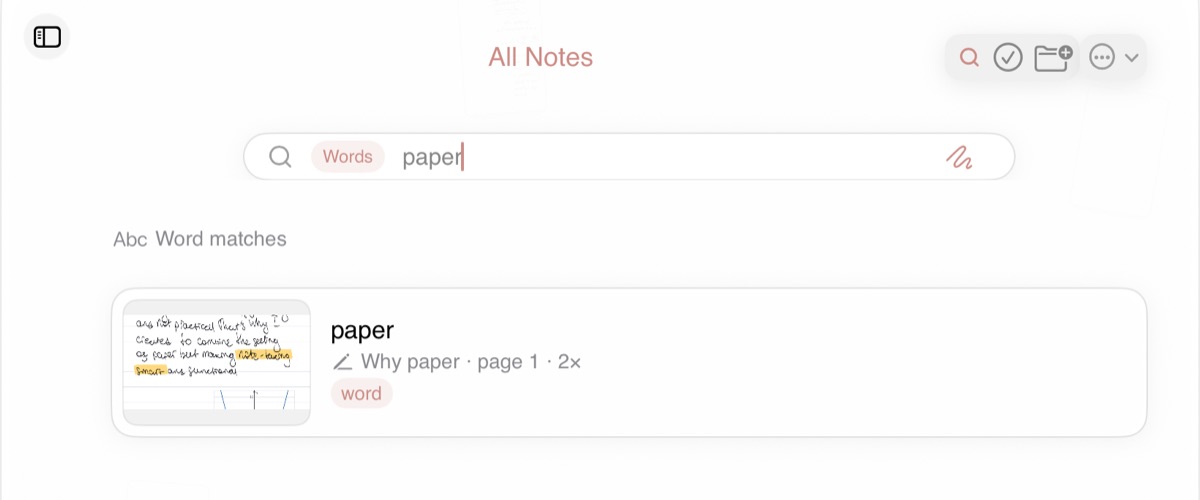
Pencora is paper that thinks. It writes typed text in your handwriting, finds any word you ever wrote, plots your formulas and keeps constructions exact. On the iPad, no cloud.

  • 100% free
  • No subscription
  • No ads
  • No account
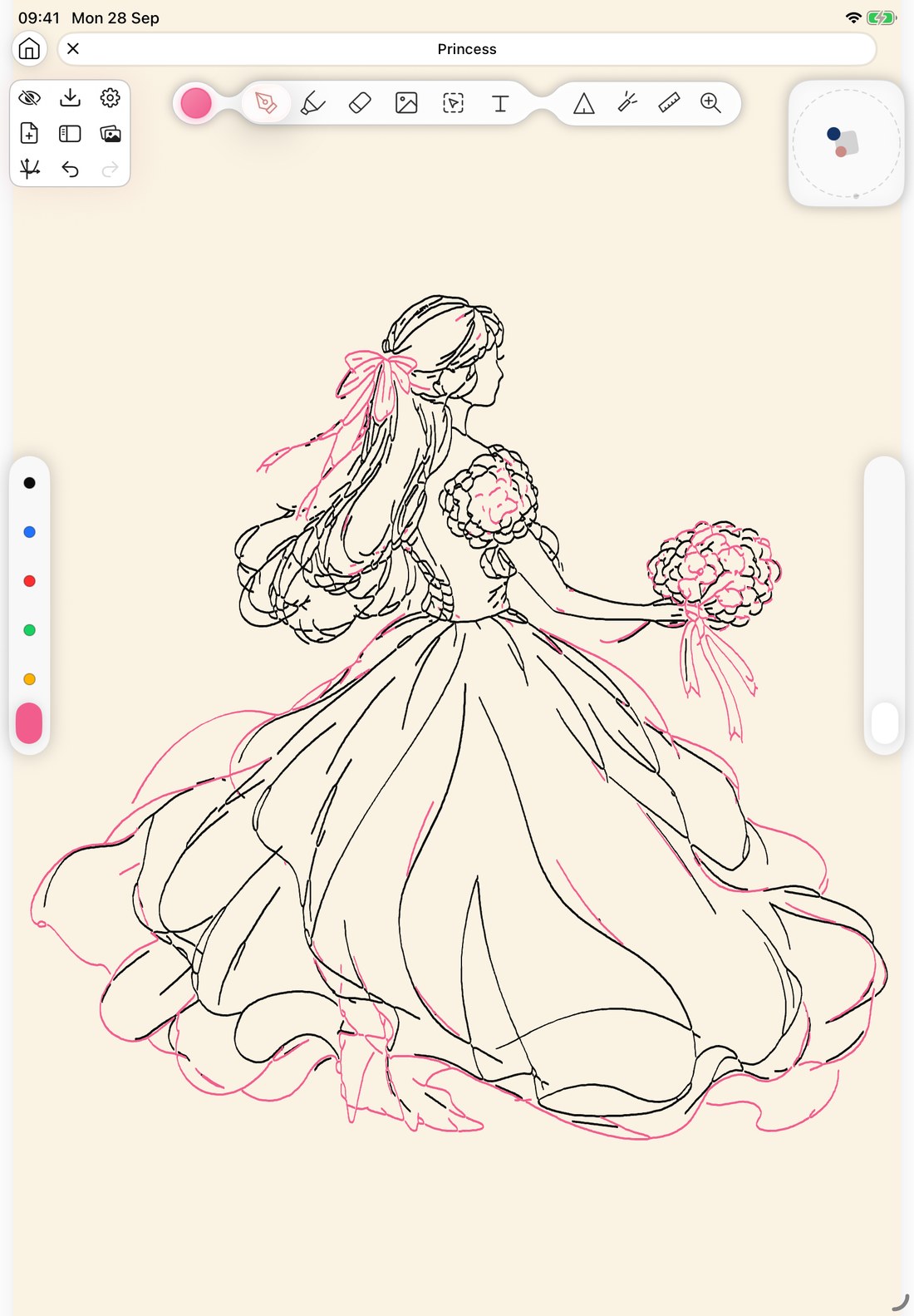
A real Pencora page on Ivory paper: a princess in a flowing ball gown holding a bouquet, drawn in black and pink ink

Real app screen. Every line is live ink.

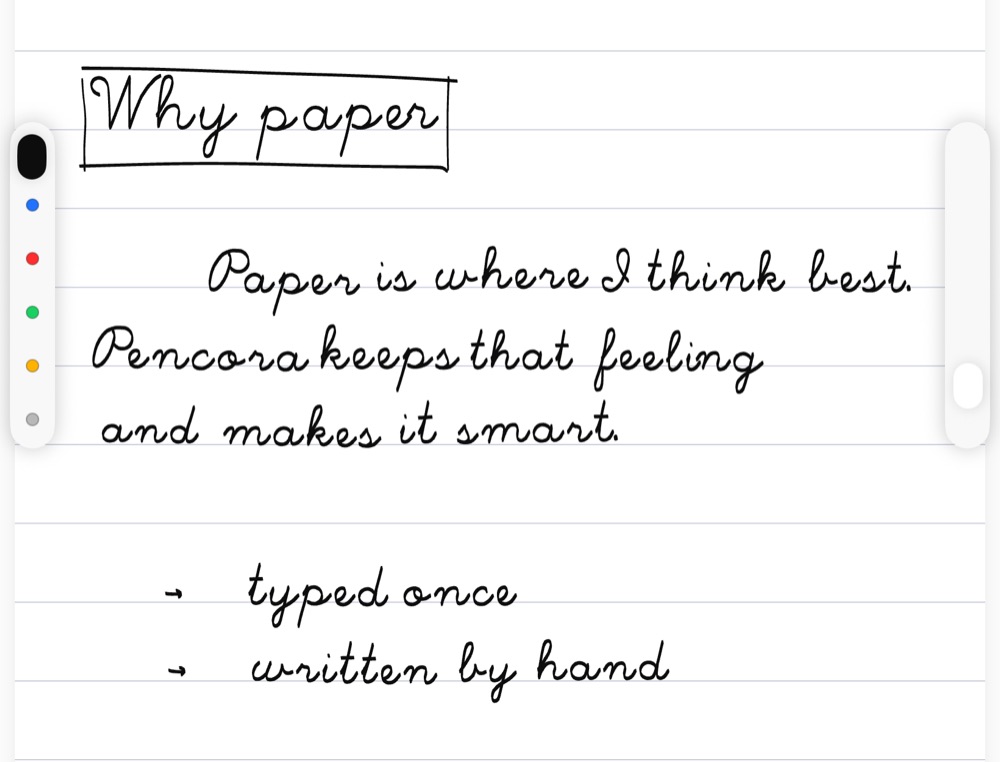
Type it. It’s written in your hand.

The first handwriting model that runs on the iPad itself. Teach it your letters once, then paste a whole Markdown document — headings, lists, formulas — and it lands on the page as real, erasable ink that follows your paper’s lines. Nothing is uploaded.

  • Markdown, lists and LaTeX formulas
  • Follows the ruling of your paper
  • Letters vary like real handwriting
  • Russian and English
World first
A lined page with a heading, two paragraphs and a list, written by Pencora in handwriting from typed Markdown

Nobody wrote this.

Every stroke on the left was generated by the Pencora model — not a font, not a scan. It says, in Russian: “This text was written by a neural network. It learned handwriting from twenty-five thousand words written by real people, and it runs right on the tablet — no internet, no cloud.”

25 000handwritten Russian words the model learned from
22.7Mparameters, running on the iPad’s GPU

Russian is already strikingly good. The English dataset is being collected right now — and it is written by people like you.

Write words for the dataset

The basics, without compromise.

Everything smart starts with the pen. So the pen is perfect.

The smoothest writing experience on the market.

A custom Metal GPU engine draws every stroke the instant you make it — with pressure, tilt, hover and Pencil Pro squeeze. Hundreds of pages stay smooth.

120HzProMotion rendering
240HzPencil sampling
0servers between you and your notes
  • Any paper Lined, grid, dotted — or any PDF page as your paper.
  • Shape snapping Hold the pen at the end of a stroke — lines, circles and polygons snap into shape.
  • Highlighter and tape Highlighters slide under your ink; tape hides answers for self-testing.
  • Lasso that rotates Move, scale, turn — and re-weight strokes you already wrote.
  • Scribble to erase Scratch over a word and it’s gone. Undo brings it back.
  • Zoom-write strip Write big in a magnified strip, land small and neat.
  • Calligraphy nibs Shaped nibs that turn with the stroke, plus an eyedropper.
  • Markdown and TeX text Text boxes with headings, lists, links and live formulas.
  • True-vector PDF export Crisp at any zoom, erasers included.
  • iPhone viewer Open your notebooks on iPhone and read them anywhere.

All of it. Free.

Handwriting generation, search, graphs, geometry, PDF import, Google Drive backups, the infinite board — every feature on this page costs nothing.

  • No subscription
  • No trial that runs out
  • No ads
  • No account
Download on theApp Store

Full Desmos, inside your notes.

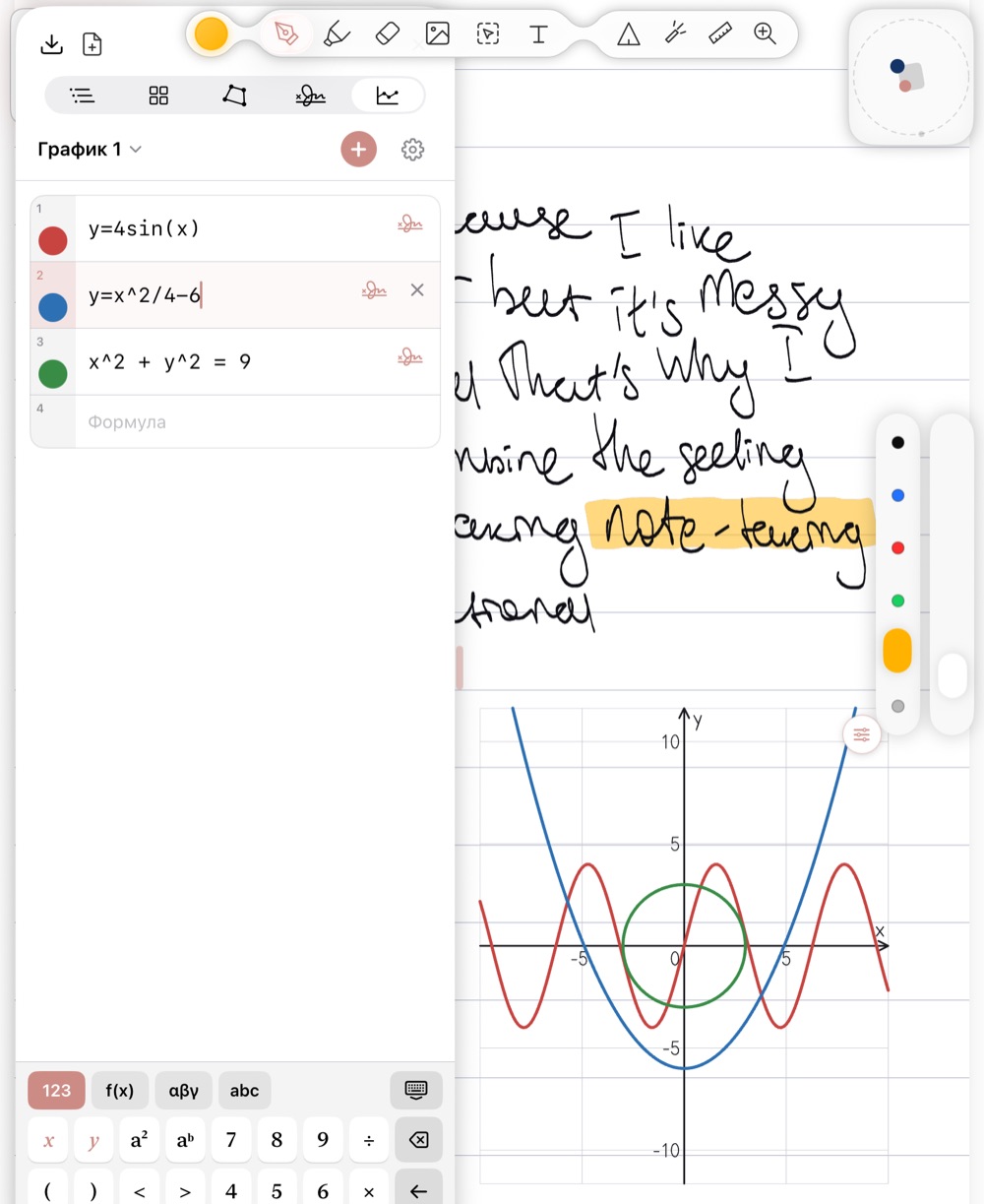
Drop a plane anywhere on the page and type: y = 4 sin x, a parabola, a circle. Formulas and tables share one list; import CSV or draw a table by hand and Pencora reads it. Ink you write on the plane sticks to its coordinates — and the plot is drawn like pen strokes.

  • Functions, implicit curves, points, tables
  • Hand-drawn tables recognised
  • Pan and pinch inside the plane
  • One formula, linked across planes
World first
The graphs panel with three formulas — a sine, a parabola and a circle — plotted on a plane on the page

All GeoGebra features inside. And even more.

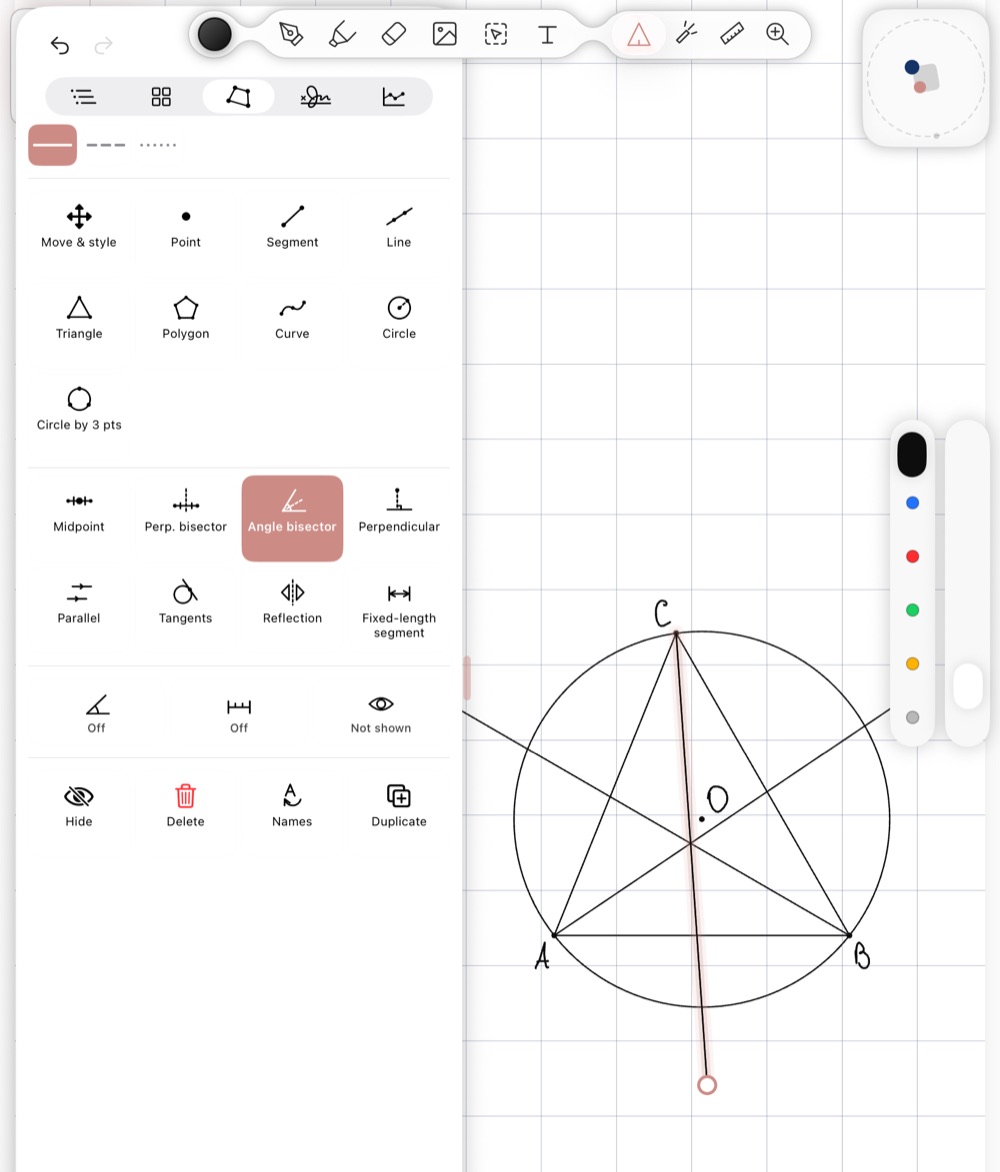
A triangle, the circle through its vertices, three angle bisectors meeting in one point — built with real tools, measured in real millimetres, labelled in your handwriting. Move one vertex and everything that depends on it follows, exactly. And you keep writing by hand right next to it.

  • 17 derived constructions
  • Bisectors, tangents, reflections, centres
  • Sized in real millimetres
  • Labels in your own handwriting
World first
The geometry tools panel beside a triangle with its circumcircle and three angle bisectors, labelled A, B, C and O in handwriting
New

Not ready to change? Bring everything.

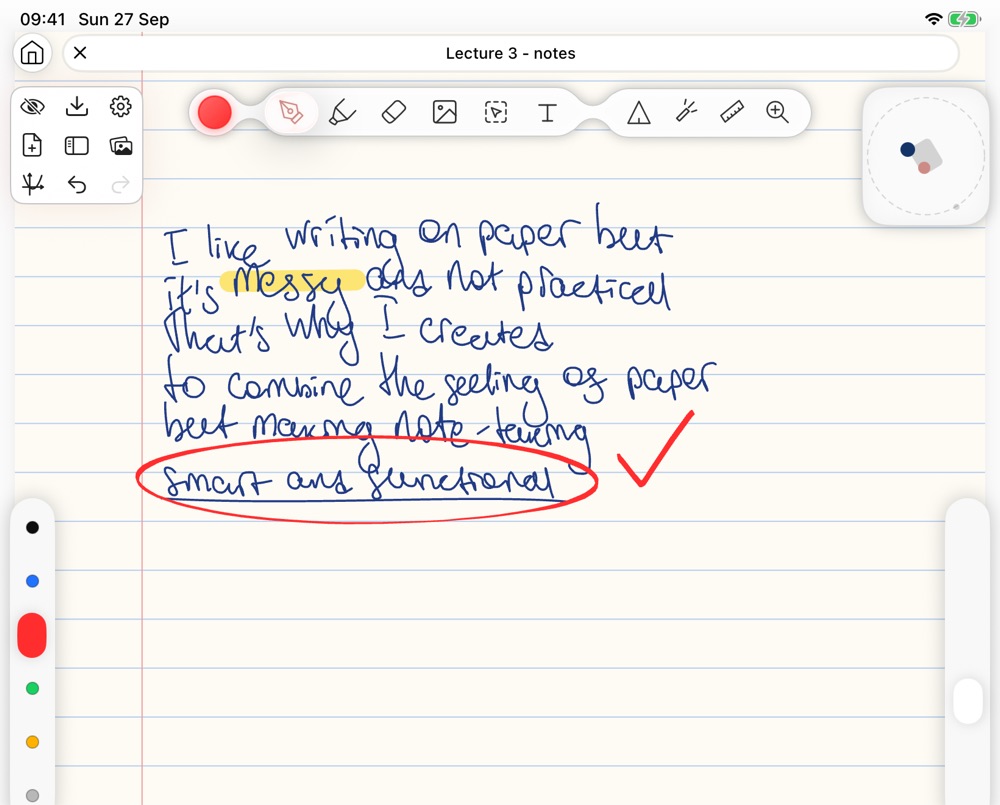
Export your notebooks as PDF from the app you use today — Pencora opens them as real, editable ink, with the paper ruling detected and every page in order.

Goodnotes Notability Noteshelf OneNote Apple Notes Freeform MyScript Notes Flexcil CollaNote ZoomNotes Evernote Noteful Goodnotes Notability Noteshelf OneNote Apple Notes Freeform MyScript Notes Flexcil CollaNote ZoomNotes Evernote Noteful
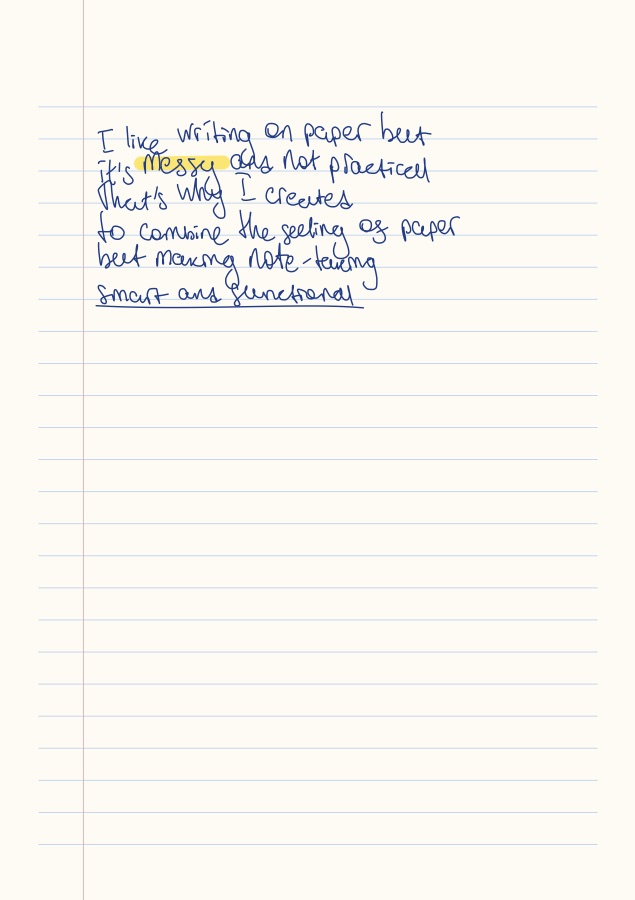
PDF A handwritten notebook page exported as PDF from another app
The same page imported into Pencora as editable ink, with a red circle and a check mark added on top
  • Handwriting imports as editable strokes, not a picture
  • Big documents open instantly and convert as you go
  • True-vector PDF export back out — nothing gets locked in

Never lose a single page.

Pencora backs up your whole library to your own Google Drive every day, on its own. Got a new iPad? Restore everything with one tap — or save all your notes into a single file whenever you like.

  • Automatic daily backup to your Drive
  • The five latest copies are kept
  • Restore on a new iPad in one tap
  • Pencora sees only its own backup folder — nothing else on your Drive
Google DriveEvery day, automatically
Backed up today
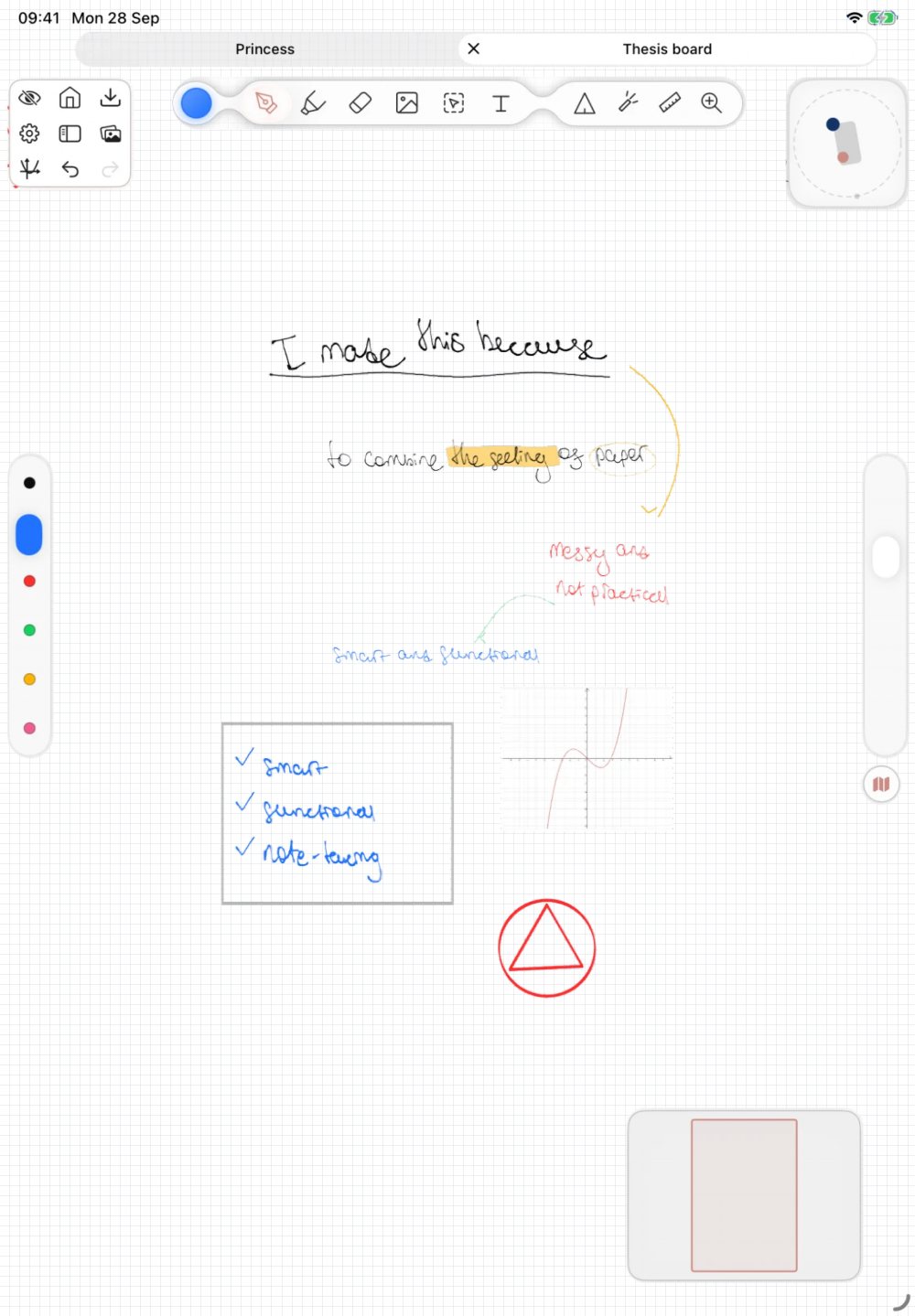
A real Pencora infinite board: notes, a checklist, graphs and a triangle spread far apart; the view zooms out over the whole board and dives into each cluster

An infinite board behind every notebook.

An endless canvas with a minimap. Lasso any region into a regular page — it remembers where it came from.

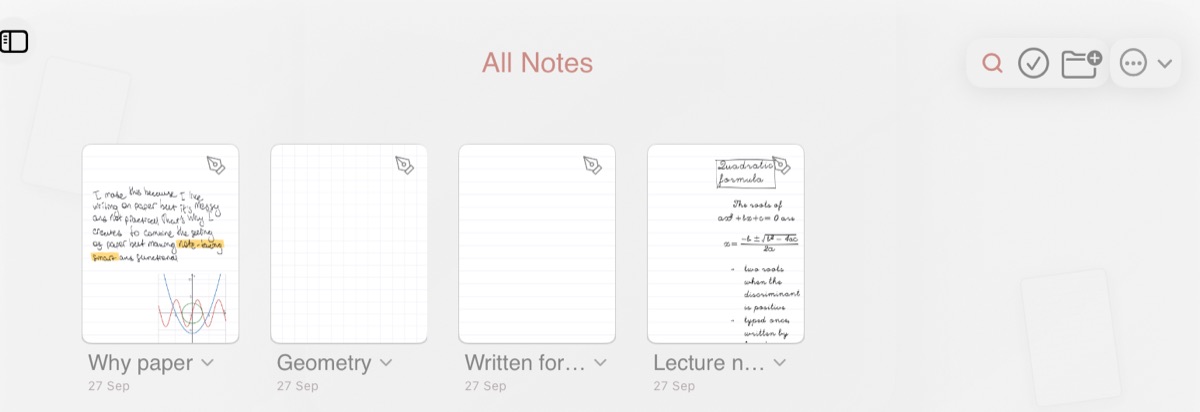
The Pencora library: notebooks with handwritten covers — Why paper, Geometry, Written for me, Lecture notes

A library that shows what’s inside.

Every cover is the real first page. The pages you wrote today float on the home screen; folders, tags and tabs keep the rest in reach.

Our own research, not a borrowed API.

Recognition and handwriting generation run on models trained for Pencora, on handwriting people write for us — in the app and right in the browser. 25,000 Russian words so far; the English set is being written now.

Help train them →

Notes should be free. Not another subscription.

Hi! I build Pencora on my own. I don’t think the place where you think and study should be rented back to you by a corporation, month after month. So Pencora is free — every feature, no catch.

  • Always getting betterI work on Pencora all the time — every update makes it faster, smarter and nicer to write in.
  • Your feedback decidesI ask for it constantly. Tell me what’s missing or what bugs you — that is how the next features get picked.
No account Open the app and write. That’s the whole sign-up.
On-device Recognition, search and handwriting generation run on your iPad.
No ads, no tracking Your notes are not the product.

Pick up the Pencil.

Free on the App Store for iPad — every feature, forever.

Download on theApp Store